
Top 7 Best WordPress Plugin Of All Time
If you are looking for the best wordpress plugins, then you are at the right place. Here is the list of best wordpress plugins that you should use in your blog to boost SEO, strong your security and know every aspects of your blog . Although creating a good content is one factor but there are many wordpress plugins that perform different actions and add on to your success. So let's start
1.Yoast SEO
Those users who are serious about SEO, Yoast SEO will do the work for them to reach their goals. All they need to do is select a keyword, and the plugin will then optimize your page according to the specified keyword
Yoast offers many popular SEO WordPress plugin functions. It gives you real-time page analysis to optimize your content, images, meta descriptions, titles, and kewords. Yoast also checks the length of your sentences and paragraphs, whether you’re using enough transition words or subheadings, how often you use passive voice, and so on. Yoast tells Google whether or not to index a page or a set of pages too.
Let me summarize these points in bullets:
- Enhance the readability of your article to reduce bounce rate
- Optimize your articles with targetted keywords
- Let Google know who you are and what your site is about
- Improve your on-page SEO with advanced, real-time guidance and advice on keyword usage, linking, and external linking.
- Keep your focus keywords consistent to help rank better on Google.
- Preview how your page would appear in the search engine results page (SERP)
- Crawl your site daily to ensure Google indexes it as quickly as possible.
- Rate your article informing you of any mistakes you might have made so that you can fix them before publishing.
- Stay up-to-date with Google’s latest algorithm changes and adapt your on-page SEO as needed with smartsuggestionss from the Yoast SEO plugin. This plugin is always up-to-date.
- Free Version is available
Pricing
- Premium version=$89/year that comes with extra functions, allowing you to optimize your content up to five keywords, among other benefits.
2. WP Rocket
A website running WordPress can put a lot of strain on a server, which increases the chances that the website will crash and harm your business. To avoid such an unfortunate situation and ensure that all your pages load quickly, you need a caching plugin like WP Rocket.
WP Rocket plugin designed to increases your website speed. Instead of waiting for pages to be saved to cache, WP Rocket turns on desired caching settings, like page cache and gzip compression. The plugin also activates other features, such as CDN support and llazy image loadding, to enhance your site speed.
Features in bullets:
- Browser Catching
- Preloading the cache of pages
- Reducing the number of HTTP requests allows websites to load more quickly.
- Decreasing bandwidth usage with GZIP compression
- Apply optimal browser caching headers (expires)
- Minifying and combining JavaScript and CSS files
- Remove Unused CSS
- Deferred loading of images (LazyLoad)
- WebP compatibility
- Deferred loading of JavaScript files
- Delay JavaScript Execution
- Critical Path CSS generation and deferred loading of CSS files
- Database optimization
- WordPress Heartbeat API control
- DNS prefetch
- CDN integration
- Cloudflare integration
- Sucuri integration
- Easy import/export of settings
- Easy roll back to a previous version
Pricing
- Single License =$49/year for one website
- Plus License =$99/year for 3 websites
- Infinite License =$249/year for unlimited websites
3.Wordfence Security
Wordfence Security is a WordPress firewall and security scanner that keeps your site safe from malicious hackers, spam, and other online threats. This Plugin comes with a web application firewall (WAF) called tthread Defence Feed that helps to prevents brute force attacks by ensuring you set stronger passwords and limiting login attempts. It searches for malware and compares code, theme, and plugin files with the records in the WordPress.org repository to verify their integrity and reports changes to you.
Wordfence security scanner provides you with actionable insights into your website's security status and will alert you to any potential threats, keeping it safe and secure. It also includes login security features that let you activate reCAPTCHA and two-factor authentication for your website.
Features in Bullets.
- Scans your site for vulnerabilities. if (typeof atAsyncOptions !== 'object') var atAsyncOptions = []; atAsyncOptions.push({ 'key': '291a91492f7bcf13f252654de362127b', 'format': 'js', 'async': true, 'container': 'atContainer-291a91492f7bcf13f252654de362127b', 'params' : {} }); var script = document.createElement('script'); script.type = "text/javascript"; script.async = true; script.src = 'http' + (location.protocol === 'https:' ? 's' : '') + '://www.topcreativeformat.com/291a91492f7bcf13f252654de362127b/invoke.js'; document.getElementsByTagName('head')[0].appendChild(script);
- Alerts you by email when new threats are detected.
- Supports advanced login security measures.
- IP addresses may be blocked automatically if suspicious activity is detected.
Pricing
- Premium Plan= $99/Year that comes with extra security features like the real time IP backlist and country blocking option and also support from highly qualified experts.
4. Akismet
Akismet can help prevent spam from appearing on your site. Every day, it automatically checks every comment against a global database of spam to block malicious content. With Akismet, you also won’t have to worry about innocent comments being caught by the filter or false positives. You can simply tell Akismet about those and it will get better over time. It also checks your contact form submissions against its global spam database and weed out unnecessary fake information.
Features in Bullets:
- The program automatically checks comments and filters out spam.
- Hidden or misleading links are often revealed in the comment body.
- Akismet tracks the status of each comment, allowing you to see which ones were caught by Akismet and which ones were cleared by a moderator.
- A spam-blocking feature that saves disk space and makes your site run faster.
- Moderators can view a list of comments approved by each user.
Pricing
- Free to use for personal blog
5. Contact Form 7
Contact Form 7 is a plug-in that allows you to create contact forms that make it easy for your users to send messages to your site. The plug-in was developed by Takayuki Miyoshi and lets you create multiple contact forms on the same site; it also integrates Akismet spam filtering and lets you customize the styling and fields that you want to use in the form. The plug-in provides CAPTCHA and Ajax submitting.
Features in bullets:
- Create and manage multiple contact forms
- Easily customize form fields
- Use simple markup to alter mail content
- Add Lots of third-party extensions for additional functionality
- Shortcode offers a way to insert content into pages or posts.
- Akismet spam filtering, Ajax-powered submitting, and CAPTCHA are all features of this plugin.
Pricing
- Free to use
6. Monster Insights
When you’re looking for an easy way to manage your Google Analytics-related web tracking services, Monster Insights can help. You can add, customize, and integrate Google Analytics data with ease so you’ll be able to see how every webpage performs, which online campaigns bring in the most traffic, and which content readers engage with the most. It’s same as Google Analytics
It is a powerful tool to keep track of your traffic stats. With it, you can view stats for your active sessions, conversions, and bounce rates. You’ll also be able to see your total revenue, the products you sell, and how your site is performing when it comes to referrals.
MonsterInsights offers a free plan that includes basic Google Analytics integration, data insights, and user activity metrics.
Features in bullets:
- Demographics and interest reports:
- Anonymize the IPs of visitor
- See the results of how far visitors Scroll down
- Show the insights of multiple links to the same page and show you which links get more clicks
- See sessions of two related sites as a single session
- Google AdSense tracking
- Send you weekly analytics report of your blog you can download it as pdf
Pricing
- Premium plan= $99.50/year that comes with extra features like page and post tracking, Adsense tracking, custom tracking and reports.
7. Pretty Links
Pretty Links is a powerful WordPress plugin that enables you to easily cloak affiliate links on your websiteIt even allows you to easily redirect visitors based on a specific request, including permanent 301 and temporary 302/307 redirects.
Pretty links also helps you to automatically shorten your url for your post and pages.
You can also enable auto-linking feature to automatically add affiliate links for certain keywords
Features
- Create clean, easy-to-remember URLs on your website (301, 302, and 307 redirects only)
- Random-generator or custom URL slugs
- Track the number of clicks
- Easy to understand reports
- View click details including ip address, remote host, browser, operating system, and referring site
- You can pass custom parameters to your scripts when using pretty permalinks, and still have full tracking capability.
- Exclude IP Addresses from Stats
- Cookie-based system to track your activity across clicks
- Create nofollow/noindex links
- Toggle tracking on / off on each link.
- Pretty Link Bookmarklet
- Update redirected links easily to new URLs!
Pricing
- Beginner Plan=$79/year that can be used on 1 site
- Marketer Plan: $99/year – that can be used on upto 2 sites
- Super Affiliate Plan: $149/year – that can be use on upto 5 sites
We hope you’ve found this article useful. We appreciate you reading and welcome your feedback if you have it.

Ginger VS Grammarly: Which Grammar Checker is Better in (2022) ?
Ginger VS Grammarly: When it comes to grammar checkers, Ginger and Grammarly are two of the most popular choices on the market. This article aims to highlight the specifics of each one so that you can make a more informed decision about the one you'll use.
What is Grammarly?
If you are a writer, you must have heard of Grammarly before. Grammarly has over 10M users across the globe, it's probably the most popular AI writing enhancement tool, without a doubt. That's why there's a high chance that you already know about Grammarly.
But today we are going to do a comparison between Ginger and Grammarly, So let's define Grammarly here. Like Ginger, Grammarly is an AI writing assistant that checks for grammatical errors, spellings, and punctuation. The free version covers the basics like identifying grammar and spelling mistakes
While the Premium version offers a lot more functionality, it detects plagiarism in your content, suggests word choice, or adds fluency to it.
Features of Grammarly
- Grammarly detects basic to advance grammatical errors and also help you why this is an error and suggest to you how you can improve it
- Create a personal dictionary
- Check to spell for American, British, Canadian, and Australian English.
- Understand inconsistencies.
- Detect unclear structure.
- Detect Plagiarism.
- Explore overuse of words and wordiness.
- Get to know about the improper tones.
- Discover the insensitive language aligns with your intent, audience, style, emotion, and more.
What is Ginger
Ginger is a writing enhancement tool that not only catches typos and grammatical mistakes but also suggests content improvements. As you type, it picks up on errors then shows you what’s wrong, and suggests a fix. It also provides you with synonyms and definitions of words and allows you to translate your text into dozens of languages.
Ginger Software: Features & Benefits
- Ginger's software helps you identify and correct common grammatical mistakes, such as consecutive nouns, or contextual spelling correction.
- The sentence rephrasing feature can help you convey your meaning perfectly.
- Ginger acts like a personal coach that helps you practice certain exercises based on your mistakes.
- The dictionary feature helps users understand the meanings of words.
In addition, the program provides a text reader, so you can gauge your writing’s conversational tone.
Ginger vs Grammarly
Grammarly and Ginger are two popular grammar checker software brands that help you to become a better writer. But if you’re undecided about which software to use, consider these differences:
- Grammarly only supports the English language while Ginger supports 40+ languages.
- Grammarly offers a wordiness feature while Ginger lacks a Wordiness feature.
- Grammarly shows an accuracy score while Ginger lacks an accuracy score feature.
- Grammarly has a plagiarism checker while ginger doesn't have such a feature.
- Grammarly can recognize an incorrect use of numbers while Ginger can’t recognize an incorrect use of numbers.
- Grammarly and Ginger both have mobile apps.
- Ginger and Grammarly offer monthly, quarterly, and annual plans.
- Grammarly allows you to check uploaded documents. while Ginger doesn't check uploaded documents.
- Grammarly Offers a tone suggestion feature while Ginger doesn't offer a tone suggestion feature.
- Ginger helps to translate documents into 40+ languages while Grammarly doesn't have a translation feature.
- Ginger Offers text to speech features while Grammarly doesn't have such features.
Grammarly Score: 7/10
Ginger:4/10
So Grammarly wins here.
Ginger VS Grammarly: Pricing Difference
- Ginger offers a Premium subscription for 13.99$/month. it comes at $11.19/month for quarterly and $7.49/month for an annual subscription with 40$ off.
- On the other hand, Grammarly offers a Premium subscription for $30/month for a monthly plan $20/month for quarterly, and $12/month for an annual subscription.
For companies with three or more employees, the Business plan costs $12.50/month for each member of your team.
Ginger Wins Here
Ginger vs Grammarly – Pros and Cons
Grammarly Pros
- Offers free version
- All-in-one tool (grammar checker + spell checker + punctuation checker)
- Allows you to edit a document without affecting the formatting.
- Style checker (paid version) if (typeof atAsyncOptions !== 'object') var atAsyncOptions = []; atAsyncOptions.push({ 'key': '291a91492f7bcf13f252654de362127b', 'format': 'js', 'async': true, 'container': 'atContainer-291a91492f7bcf13f252654de362127b', 'params' : {} }); var script = document.createElement('script'); script.type = "text/javascript"; script.async = true; script.src = 'http' + (location.protocol === 'https:' ? 's' : '') + '://www.topcreativeformat.com/291a91492f7bcf13f252654de362127b/invoke.js'; document.getElementsByTagName('head')[0].appendChild(script);
- Active and passive voice checker
- Personal dictionary
- Plagiarism checker (paid version)
- Available on all major devices and platforms
- Free mobile apps
- User-friendly interface
- Browser extensions and MS word add-ons
- Can upload and download documents
Grammarly Cons
- Supports only English
- Customer support only via email
- Limits to 150,000 words
- Subscription plans can be a bit pricey
- Doesn’t offer a free trial
- No refund policy
Ginger Pros
- Offers free version
- All-in-one tool (grammar checker + spell checker + punctuation checker)
- Affordable Subscription plans (Additionals discounts are available)
- Active and passive voice changer
- Translates documents in 40+ languages
- Personal dictionary
- Browser extension available
- Personal trainers help clients develop their knowledge of grammar.
- Text-to-speech feature reads work out loud
- Get a full refund within 7 days
Ginger Cons
- Mobile apps aren't free
- Limited monthly corrections for free users
- No style checker
- No plagiarism checker
- Not as user-friendly as Grammarly
- You are unable to upload or download documents; however, you may copy and paste files as needed.
- Doesn't offer a free trial
Summarizing the Ginger VS Grammarly: My Recommendation
While both writing assistants are fantastic in their ways, you need to choose the one you want.
For example, go for Grammarly if you want a plagiarism tool included.
Choose Ginger if you want to write in languages other than English. I will to the differences for you in order to make the distinctions clearer.
- Grammarly offers a plagiarism checking tool
- Ginger provides text to speech tool
- Grammarly helps you check uploaded documents
- Ginger supports over 40 languages
- Grammarly has a more friendly UI/UX
Which one you like let me know in the comments section also give your opinions in the comments section below.
Most Frequently Asked Questions About NFTs(Non-Fungible Tokens)
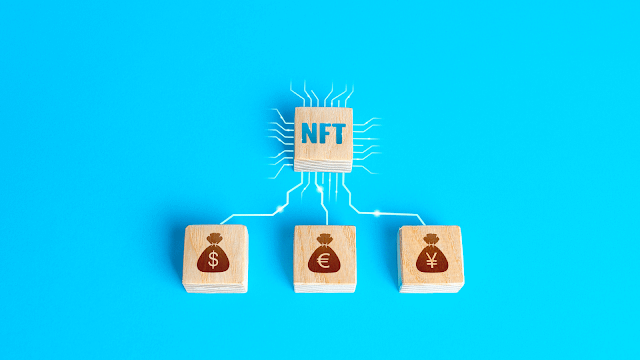
Non-fungible tokens (NFTs) are the most popular digital assets today, capturing the attention of cryptocurrency investors, whales and people from around the world. People find it amazing that some users spend thousands or millions of dollars on a single NFT-based image of a monkey or other token, but you can simply take a screenshot for free. So here we share some freuently asked question about NFTs.
1) What is an NFT?
NFT stands for non-fungible token, which is a cryptographic token on a blockchain with unique identification codes that distinguish it from other tokens. NFTs are unique and not interchangeable, which means no two NFTs are the same. NFTs can be a unique artwork, GIF, Images, videos, Audio album. in-game items, collectibles etc.
2) What is Blockchain?
A blockchain is a distributed digital ledger that allows for the secure storage of data. By recording any kind of information—such as bank account transactions, the ownership of Non-Fungible Tokens (NFTs), or Decentralized Finance (DeFi) smart contracts—in one place, and distributing it to many different computers, blockchains ensure that data can’t be manipulated without everyone in the system being aware.
3) What makes an NFT valuable?
The value of an NFT comes from its ability to be traded freely and securely on the blockchain, which is not possible with other current digital ownership solutionsThe NFT points to its location on the blockchain, but doesn’t necessarily contain the digital property. For example, if you replace one bitcoin with another, you will still have the same thing. If you buy a non-fungible item, such as a movie ticket, it is impossible to replace it with any other movie ticket because each ticket is unique to a specific time and place.
4) How do NFTs work?
One of the unique characteristics of non-fungible tokens (NFTs) is that they can be tokenised to create a digital certificate of ownership that can be bought, sold and traded on the blockchain.
As with crypto-currency, records of who owns what are stored on a ledger that is maintained by thousands of computers around the world. These records can’t be forged because the whole system operates on an open-source network.
NFTs also contain smart contracts—small computer programs that run on the blockchain—that give the artist, for example, a cut of any future sale of the token.
5) What’s the connection between NFTs and cryptocurrency?
Non-fungible tokens (NFTs) aren't cryptocurrencies, but they do use blockchain technology. Many NFTs are based on Ethereum, where the blockchain serves as a ledger for all the transactions related to said NFT and the properties it represents.5) How to make an NFT?
Anyone can create an NFT. All you need is a digital wallet, some ethereum tokens and a connection to an NFT marketplace where you’ll be able to upload and sell your creations
6) How to validate the authencity of an NFT?
When you purchase a stock in NFT, that purchase is recorded on the blockchain—the bitcoin ledger of transactions—and that entry acts as your proof of ownership.
7) How is an NFT valued? What are the most expensive NFTs?
The value of an NFT varies a lot based on the digital asset up for grabs. People use NFTs to trade and sell digital art, so when creating an NFT, you should consider the popularity of your digital artwork along with historical statistics.
In the year 2021, a digital artist called Pak created an artwork called The Merge. It was sold on the Nifty Gateway NFT market for $91.8 million.
8) Can NFTs be used as an investment?
Non-fungible tokens can be used in investment opportunities. One can purchase an NFT and resell it at a profit. Certain NFT marketplaces let sellers of NFTs keep a percentage of the profits from sales of the assets they create.
9) Will NFTs be the future of art and collectibles?
Many people want to buy NFTs because it lets them support the arts and own something cool from their favorite musicians, brands, and celebrities. NFTs also give artists an opportunity to program in continual royalties if someone buys their work. Galleries see this as a way to reach new buyers interested in art.
10) How do we buy an NFTs?
There are many places to buy digital assets, like opensea and their policies vary. On top shot, for instance, you sign up for a waitlist that can be thousands of people long. When a digital asset goes on sale, you are occasionally chosen to purchase it.
11) Can i mint NFT for free?
To mint an NFT token, you must pay some amount of gas fee to process the transaction on the Etherum blockchain, but you can mint your NFT on a different blockchain called Polygon to avoid paying gas fees. This option is available on OpenSea and this simply denotes that your NFT will only be able to trade using Polygon's blockchain and not Etherum's blockchain. Mintable allows you to mint NFTs for free without paying any gas fees.
12) Do i own an NFT if i screenshot it?
The answer is no. Non-Fungible Tokens are minted on the blockchain using cryptocurrencies such as Etherum, Solana, Polygon, and so on. Once a Non-Fungible Token is minted, the transaction is recorded on the blockchain and the contract or license is awarded to whoever has that Non-Fungible Token in their wallet.
12) Why are people investing so much in NFT?
Non-fungible tokens have gained the hearts of people around the world, and they have given digital creators the recognition they deserve. One of the remarkable things about non-fungible tokens is that you can take a screenshot of one, but you don’t own it. This is because when a non-fungible token is created, then the transaction is stored on the blockchain, and the license or contract to hold such a token is awarded to the person owning the token in their digital wallet.
You can sell your work and creations by attaching a license to it on the blockchain, where its ownership can be transferred. This lets you get exposure without losing full ownership of your work. Some of the most successful projects include Cryptopunks, Bored Ape Yatch Club NFTs, SandBox, World of Women and so on. These NFT projects have gained popularity globally and are owned by celebrities and other successful entrepreneurs. Owning one of these NFTs gives you an automatic ticket to exclusive business meetings and life-changing connections.
Final Saying
That’s a wrap. Hope you guys found this article enlightening. I just answer some question with my limited knowledge about NFTs. If you have any questions or suggestions, feel free to drop them in the comment section below. Also I have a question for you, Is bitcoin an NFTs? let me know in The comment section below
10 Best Chrome Extensions That Are Perfect for Everyone
Are you a great Chrome user? That’s nice to hear. But first, consider whether or not there are any essential Chrome extensions you are currently missing from your browsing life, so here we're going to share with you 10 Best Chrome Extensions That Are Perfect for Everyone. So Let's Start.
1. LastPass
When you have too several passwords to remember, LastPass remembers them for you.
This chrome extension is an easy way to save you time and increase security. It’s a single password manager that will log you into all of your accounts. you simply ought to bear in mind one word: your LastPass password to log in to all or any your accounts.
Features
- Save usernames and passwords and LastPasswill log you in automatically.
- Fill the forms quickly to save your addresses, credit card numbers and more.
2. MozBar
MozBar is an SEO toolbar extension that makes it easy for you to analyze your web pages' SEO while you surf. You can customize your search so that you see data for a particular region or for all regions. You get data such as website and domain authority and link profile. The status column tells you whether there are any no-followed links to the page.You can also compare link metrics. There is a pro version of MozBar, too.
3. Grammerly
Grammarly is a real-time grammar checking and spelling tool for online writing. It checks spelling, grammar, and punctuation as you type, and has a dictionary feature that suggests related words. if you use mobile phones for writing than Grammerly also have a mobile keyboard app.
4. VidlQ
VidIQ is a SaaS product and Chrome Extension that makes it easier to manage and optimize your YouTube channels. It keeps you informed about your channel's performance with real-time analytics and powerful insights.
Features
- Learn more about insights and statistics beyond YouTube Analytics
- Find great videos with the Trending tab.
- You can check out any video’s YouTube rankings and see how your own video is doing on the charts.
- Keep track the history of the keyword to determine when a keyword is rising or down in popularity over time.
- Quickly find out which videos are performing the best on YouTube right now.
- Let this tool suggest keywords for you to use in your title, description and tags.
5. ColorZilla
ColorZilla is a browser extension that allows you to find out the exact color of any object in your web browser. This is especially useful when you want to match elements on your page to the color of an image.
Features
- Advanced Color Picker (similar to Photoshop's)
- Ultimate CSS Gradient Generator
- The "Webpage Color Analyzer" site helps you determine the palette of colors used in a particular website.
- Palette Viewer with 7 pre-installed palettes
- Eyedropper - sample the color of any pixel on the page
- Color History of recently picked colors
- Displays some info about the element, including the tag name, class, id and size.
- Auto copy picked colors to clipboard
- Get colors of dynamic hover elements
- Pick colors from Flash objects
- Pick colors at any zoom level
6. Honey
Honey is a chrome extension with which you save each product from the website and notify it when it is available at low price it's one among the highest extensions for Chrome that finds coupon codes whenever you look online.
Features
- Best for finding exclusive prices on Amazon.
- A free reward program called Honey Gold.
- Searches and filters the simplest value fitting your demand.
- Instant notifications.
7. GMass: Powerful Chrome Extension for Gmail Marketers
GMass (or Gmail Mass) permits users to compose and send mass emails using Gmail. it is a great tool as a result of you'll use it as a replacement for a third-party email sending platform. you will love GMass to spice up your emailing functionality on the platform.
8. Notion Web Clipper: Chrome Extension for Geeks
It's a Chrome extension for geeks that enables you to highlight and save what you see on the web.
It's been designed by Notion, that could be a Google space different that helps groups craft higher ideas and collaborate effectively.
Features
- Save anything online with just one click
- Use it on any device
- Organize your saved clips quickly
- Tag, share and comment on the clips
If you are someone who works online, you need to surf the internet to get your business done. And often there is no time to read or analyze something. But it's important that you do it. Notion Web Clipper will help you with that.
9. WhatFont: Chrome Extension for identifying Any Site Fonts
WhatFont is a Chrome extension that allows web designers to easily identify and compare different fonts on a page. The first time you use it on any page, WhatFont will copy the selected page.It Uses this page to find out what fonts are present and generate an image that shows all those fonts in different sizes. Besides the apparent websites like Google or Amazon, you'll conjointly use it on sites wherever embedded fonts ar used.
10. SimilarWeb: Traffic Rank & Website Analysis Extension
Similar Web is an SEO add on for both Chrome and Firefox.It allows you to check web site traffic and key metrics for any web site, as well as engagement rate, traffic ranking, keyword ranking, and traffic source. this is often a good tool if you are looking to seek out new and effective SEO ways similarly as analyze trends across the web.
Features
- Discover keyword trends
- Know fresh keywords
- Get benefit from the real traffic insights
- Analyze engagement metrics
- Explore unique visitors data
- Analyze your industry's category
- Use month to date data
How to Install chrome Extension in Android
I know everyone knows how to install extension in pc but most of people don't know how to install it in android phone so i will show you how to install it in android
1. Download Kiwi browser from Play Store and then Open it.
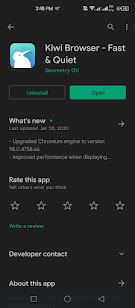
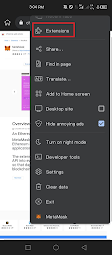
2. Tap the three dots at the top right corner and select Extension.
3. Click on (+From Store) to access chrome web store or simple search chrome web store and access it.
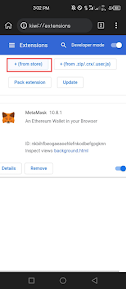
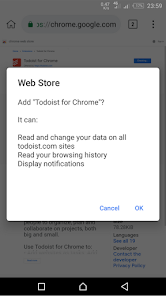
4. Once you found an extension click on add to chrome a message will pop-up asking if you wish to confirm your choice. Hit OK to install the extension in the Kiwi browser.
5. To manage extensions on the browser, tap the three dots in the upper right corner. Then select Extensions to access a catalog of installed extensions that you can disable, update or remove with just a few clicks.
Your Chrome extensions should install on Android, but there’s no guarantee all of them will work. Because Google Chrome Extensions are not optimized for Android devices.
Final Saying
We hope this list of 10 best chrome extensions that is perfect for everyone will help you in picking the right Chrome Extensions. We have selected the extensions after matching their features to the needs of different categories of people. Also which extension you like the most let me know in the comment section

Most Frequently Asked Questions About Email Marketing

1. Why is email marketing important?
2. What is benefits of email marketing?
- Better brand recognition
- Statistics of what works best
- More sales
- Targeted audience
- More traffic to your products/services/newsletter
- Build credibility
3. What is the simplest day and time to send my marketing emails?
4. Which metrics should I be looking at?
5. How do I write a decent subject line?
6. Is email marketing still effective?
7. However do I grow my email subscribers list? Should i buy an email list or build it myself?
8. How do I prevent audience from unsubscribing?
9. What is the difference between a cold email and a spam email?
10. Where can I find email template?
11. What email marketing trend will help marketers succeed in 2022?
Final Saying

7 Free Websites Every Content Creator Needs to Know

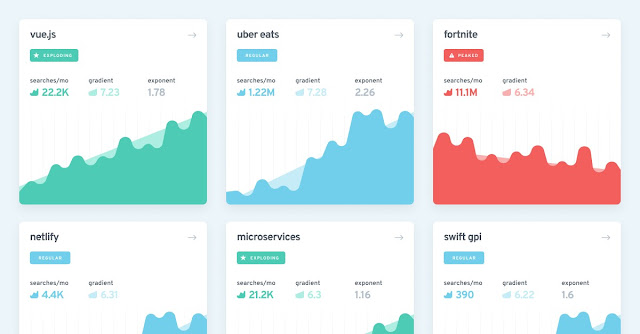
1.Exploding Topics (Trending Topics)
 |
| (Photo Credit:- Exploding Topics) |
Some examples can be:
- Use the most popular hashtags and keywords to get inspiration for ideas.
- Find out what people are talking about in real-time.
- Find new audiences you may not have known were interested in your topic.
There’s no excuse not to try this website — it’s free and easy to use!
Visit Exploding Topics From Here
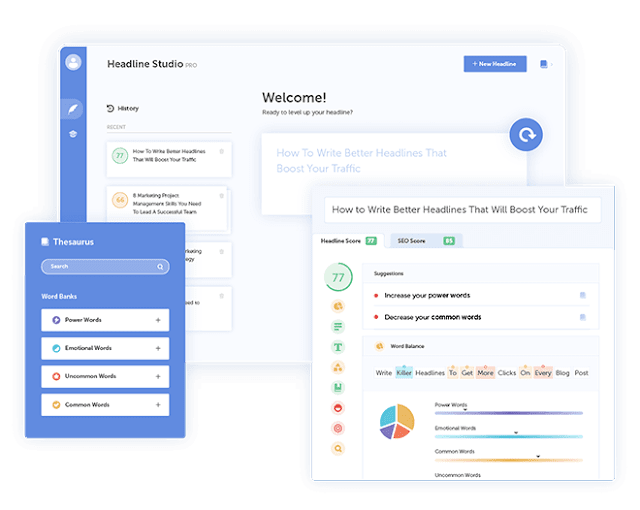
2. Headline Studio (Headline Grader)
 |
| (Photo Credit:-Headline Studio) |
Headline Studio allows you to create catchy headlines for your content. After writing a title there is data on how often people view articles with similar titles and why they are involved with them.
This is a valuable tool when creating new blog posts because it generates catchy headlines for your blog post to catch a reader’s attention.
Visit Headline Studio From Here
3. Answer the public
 |
| (Photo Credit:- Answer The Public) |
Answer The public is an excellent tool for content creators. It gives you insight into what people are asking on social media sites and communities and lets you guess about topics that matter to your audience. Answer the public allows you to enter a keyword or topic related to your niche and it will show results with popular questions and keywords related to your topic. It's an amazing way to get insights into what people are searching online and allows you to identify topics driven by new blog posts or social media content on platforms like Facebook, Instagram, Youtube, and Twitter as well as the types of questions they ask and also want answers.
Visit Answer The Public From Here
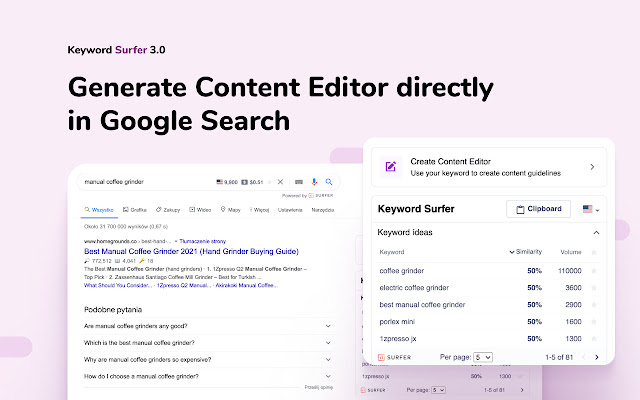
4. Surfer Seo (SEO Ranking)
 |
| (Photo Credit:-Surfer Seo) |
With this tool, content creators can quickly and easily check the ranking of their websites and those of other competitors. This tool allows you to see how your website compares to others in different categories, including:
- Rank Potential
- Organic Search Ranking
Surfer Seo is free and the interface is very friendly. It's a great tool for anyone who wants to do quick competitor research or check their site's rankings at any time.
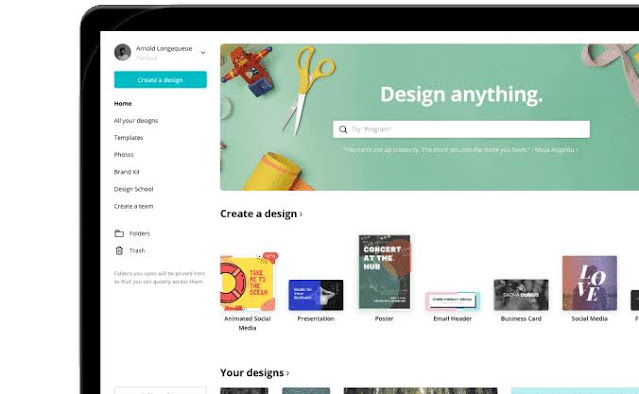
5. Canva (Templates/Graphics)
 |
| (Photo Credit:- Canva) |
Canva is a free graphic design platform that makes it easy to create invitations, business cards, mobile videos, Instagram posts, Instagram stories, flyers, and more with professionally designed templates. You can even upload your photos and drag and drop them into Canva templates. It's like having a basic version of Photoshop. You can also remove background from images with one click.
Canva offers thousands of free, professionally designed templates that can be customized with just a few clicks. Simply upload your photos to Canva, drag them into the template of your choice, and save the file to your computer.
It is free to use for basic use but if you want access to different fonts or more features, then you need to buy a premium plan.
6. Facebook Audience Insights (Audience Research)
 |
| (Photo Credit:- Facebook Audience Insights |
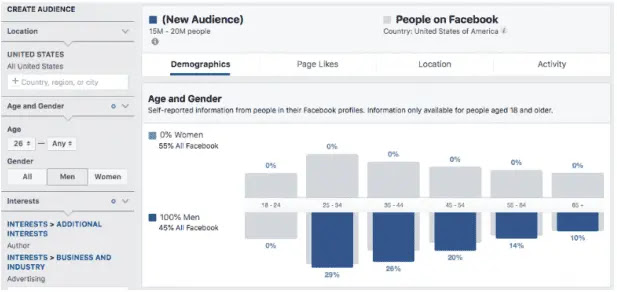
Facebook Audience Insights is a powerful tool for content creators when researching their target market. This can help you understand the demographics, interests, and behaviors of your target audience. This information helps determine the direction of your content so that it resonates with them. The most important tools to consider in Facebook Audience Insights are Demographics and Behavior. These two sections provide you with valuable information about your target market, such as their age and from where they belong, how much time they spend on social media per day, what devices they use to access it, etc.
There is another section of Facebook Audits that is very helpful. This will let you know the interests, hobbies, and activities that people in your target market are most interested in. You can use this information to create content for them about things they will be about as opposed to topics they may not be so keen on.
Visit Facebook Audience Insights From Here
7. Pexels (Images)
 |
| (Photo Credit: Pixel |
Pexels is a warehouse for any content creator with millions of free royalty images who wants to find high-quality images that can be used freely without having to worry about permissions or licensing so you are free to use the photos in your content and also there is no watermark on photos
The only cons are that some photos contain people, and Pexels doesn't allow you to remove people from photos. Search your keyword and download as many as you want!
So there you have it. We hope that these specially curated websites will come in handy for content creators and small businesses alike. If you've got a site that should be on this list, let us know! And if you're looking for more content creator resources, then let us know in the comments section below
Top 9 Free AI Tools That Make Your Life Easier
 |
| Photo:- Copy.ai |
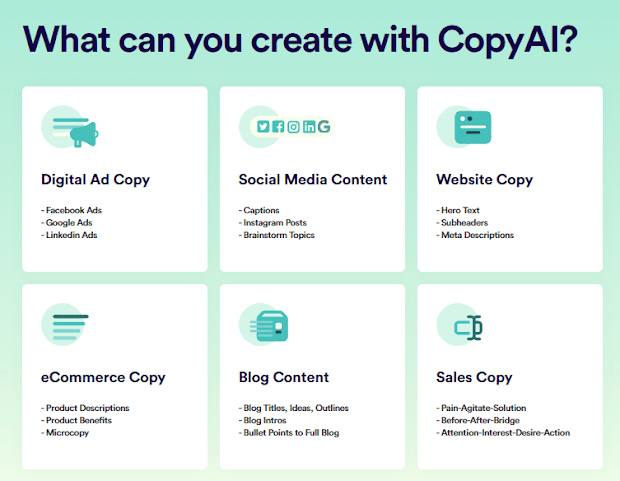
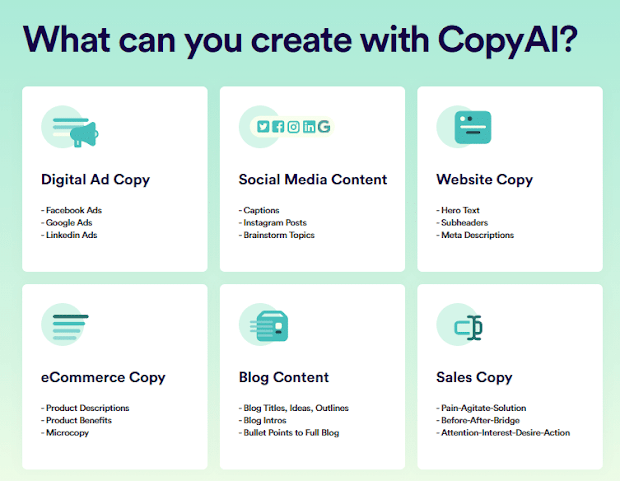
First one on the list is copy.ai. It is an AI based copy writer tool. Basically what a copywriter tool does is, it gives you content that you can post on your blog or video when you give it a few descriptions about the topic you want content on.So copy ai can help you write instagram captions gives you blog idea, product descriptions, facebook content, startup ideas, viral ideas, a lot of things it can do, you just make an account in this website, then select a tool and fill in the necessary description and the AI will generate content on what you ask for.
For tutorials go to their official Youtube channel .An awesome tool that is going to be really handy in the future.
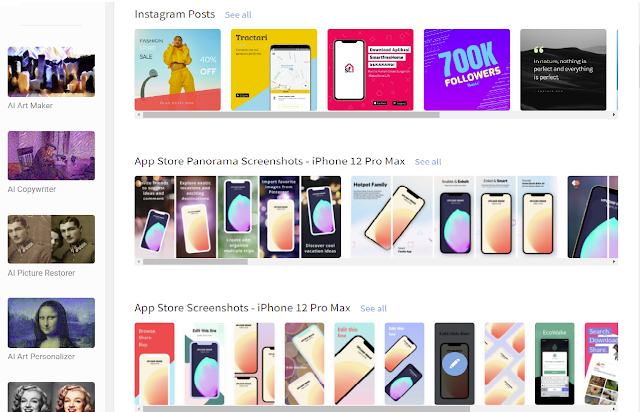
Hotpot.ai offers a collection of AI tools for designers, as well as for anyone, it has an “AI picture restorer” which removes scratches ,and basically restores your old photo into amazing pictures and makes it look brand new.
Ai picture colorizer , turns your black and white photo into color. And there is a background remover tool, picture enlarger and a lot more for designers, check it out,and explore all the tools.
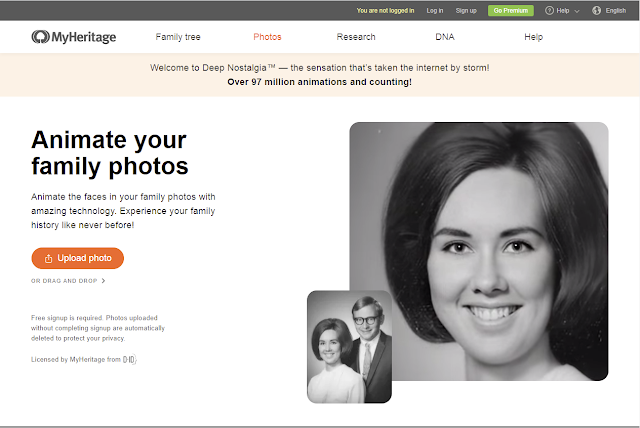
Deep-nostalgia became very popular on the internet when people started
making reaction videos of their parents reacting to animated pictures of their grandparents. So deep - nostalgia is a very cool app, that will animate any photo of a person.
So what makes it really cool is that fact that you can upload an old photo of your family and see them animate and living. Which is pretty cool and creepy at the same time if they are dead already.. Really amazing service from myheritage, I created a lot of cool animations with my old photos as well as with the photos of my grandparents.
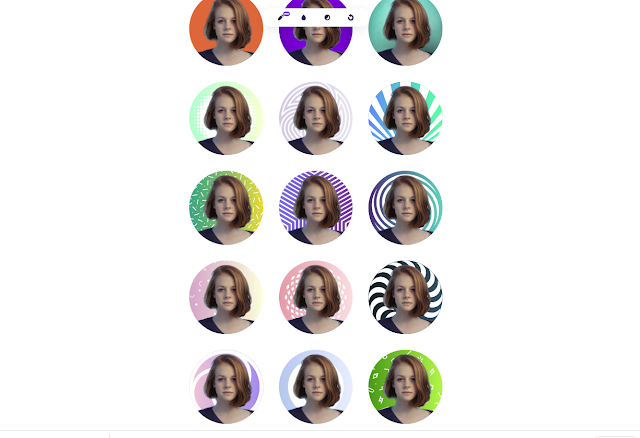
Having a nice looking profile picture is really important if you want that professional feel in your socials. Whether in linkedin or twitter having a
distinct and catchy profile picture can make all the difference. So that's where pfpmaker comes in. it a free online tool to create amazing professional profile pictures that fits you. It generates a lot of profile pictures and you can also make small changes to already created profile pictures if you want to,as well.
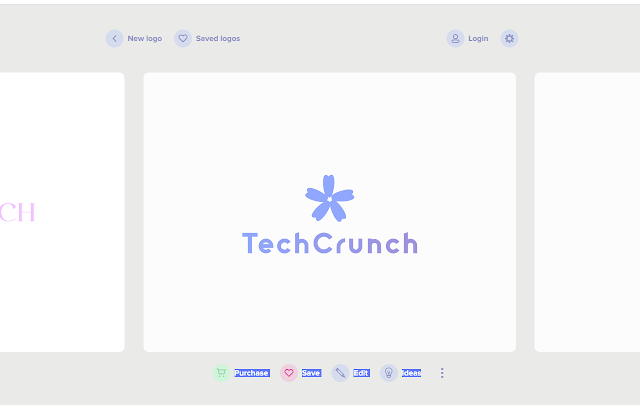
Speaking of brands, getting a good logo for your brand is the most frustrating
thing ever, so brandmark.io makes it super easy. It will create a logo for your brand within 2 clicks. So you goto this website. Type in your brand name and slogan if you have any, and give BRAND KEYWORDS that relate to your brand, then pick a color style and done, the ai will
generate amazing logos for you.You can also make minor edits to the suggested logos to better fit your needs as well. But to get that png you need to pay a hefty price, but if you are looking for some logo ideas, this is a great place to start.
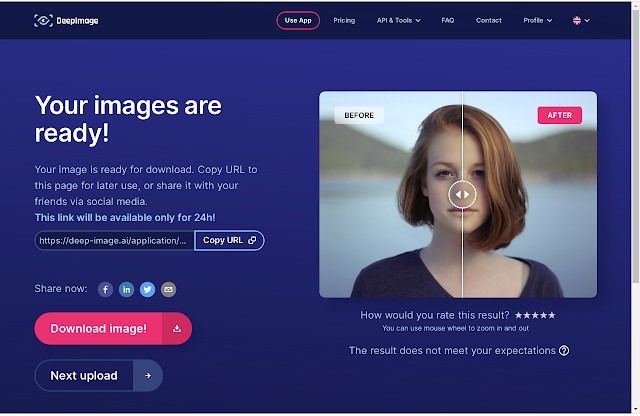
Even in the previous websites, some had picture enlarger tools. This deep-image.ai is a dedicated image enlarger, which supports upto 4x enlargement for free. The UI is pretty good and the tool is pretty fast with amazing results.

Bigjpg does the same as deep-image.ai , but this service offers a little bit more options like if your photo is an artwork it scales image differently than normal photos and it supports upto 4x enlargement for free and you can also set noise reduction options. Very good tool,
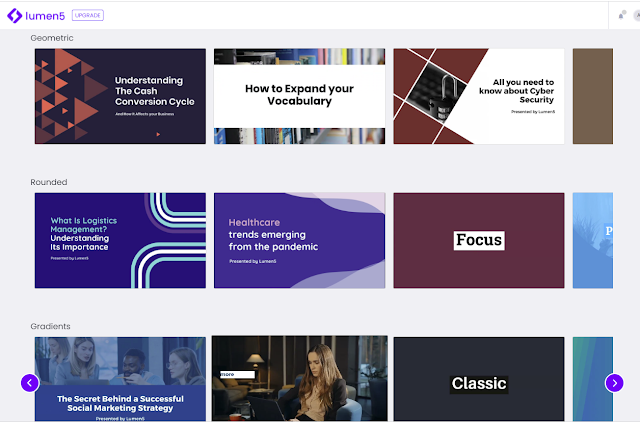
Lumen5 is an online marketing video maker that makes it really easy to create branding or informational videos within a couple of clicks. They have really great templates and various aspect ratios for various social media platforms.
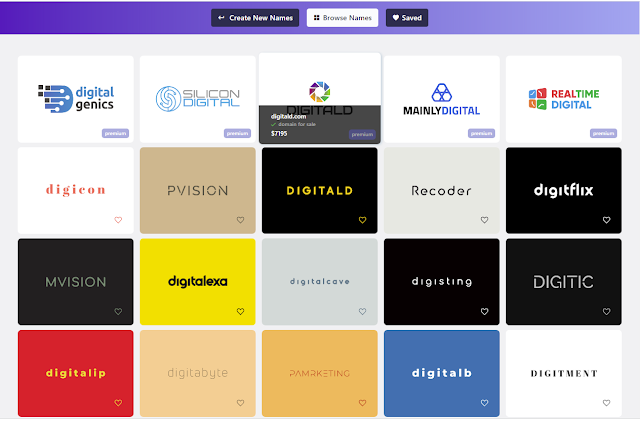
If you are struggling to find good names for your brand or youtube channel, give
namelix a try. It's an ai based name generator that will suggest good names for your brand depending on the keyword that you give.. Also logo for your brand. Pretty cool and an amazing piece of tool. So that's been it , those are my favourite free AI based tools that you can use right now,
Which one You like the most Let me know in the Comments below.